Subscription & billing
Assemblic offers flexible subscription plans tailored to your team’s needs. You can manage your subscription, view pricing tiers, and update billing information directly from the dashboard.
IMPORTANT
Subscriptions are Team-Based
Subscriptions and billing are entirely isolated per Team. If you have multiple teams, each requires its own active subscription to create and deploy projects.
Managing your subscription
To access your subscription settings:
- Log in to your Assemblic dashboard.
- Select the appropriate Team from the context dropdown at the top of the page.
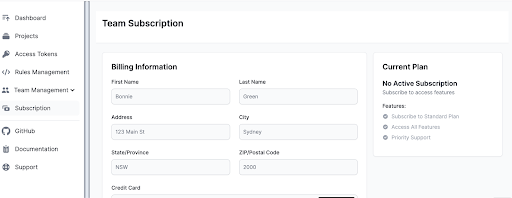
- Click on Subscription in the left-hand navigation menu.
Available plans
Assemblic provides several tiers to support different stages of growth. Each tier has a specific quota of active projects permitted.
- Sandbox ($49.95/mo): Perfect for individual developers or small experiments.
- Standard ($349.95/mo): Designed for growing teams with more active projects.
- Professional ($1,199.95/mo): For established organisations requiring higher limits and support.
- Enterprise: Custom solutions for large-scale deployments. Contact Sales for pricing.
Upgrading your plan
- Navigate to the Subscription page.
- Review the features and limits of each plan tier.
- Click the Select Plan (or equivalent) button for your desired tier.
- Follow the prompts to confirm your payment details.
WARNING
Project creation limits: An active subscription is strictly required to create new projects. If you are on an expired plan, or if your team has reached the maximum number of active projects allowed by your current tier, the “New Project” button will be disabled.
Note: Archived projects do not count towards your active project quota. If you hit your limit, you can archive old projects to free up space, or upgrade your plan.
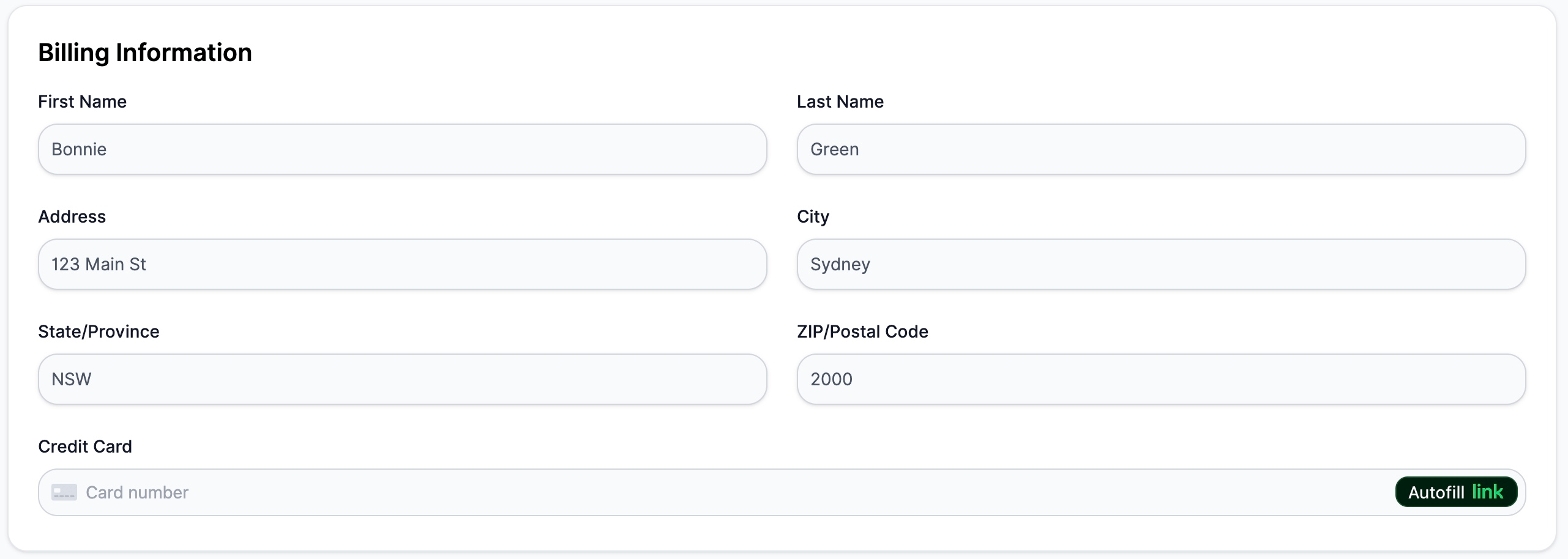
Billing information
You can update your billing details at any time to ensure uninterrupted service.
- On the Subscription page, locate the Billing Information section.
- Update your credit card details, billing address, and contact information.
- Save your changes.